
Overwhelmed running your small business? How Täbiau takes the weight off
Most overwhelm is not one big problem. It is forty small things you are trying to remember at once. Here is how Täbiau takes them off your mind, one at a time.
If you run a small business, you probably know this feeling. You sit down to do one job and find three more waiting behind it. There is an invoice you meant to send on Tuesday. A client who has not heard back. A delivery to check, a van to book, a receipt in a coat pocket somewhere. By the evening you are tired in a way that sleep does not quite fix, and you are not sure what you actually got done.
We hear this from the people who use Täbiau more than almost anything else. They are good at what they do. They love the flowers, the haircuts, the lessons, the photographs. What wears them down is the pile of everything around it, and the fear that something has slipped.
Here is what we have learned. The weight comes from holding all of it in your head at once. So the answer is not to try harder, or to become a more organised person. It is to get those things out of your head and into a place that remembers them for you, and then to let the software do the parts that repeat.
This is what that looks like in Täbiau. Every picture below is a real screen from a florist's book, not a mock-up. Yours will show your own business.
Start the day knowing what the day is
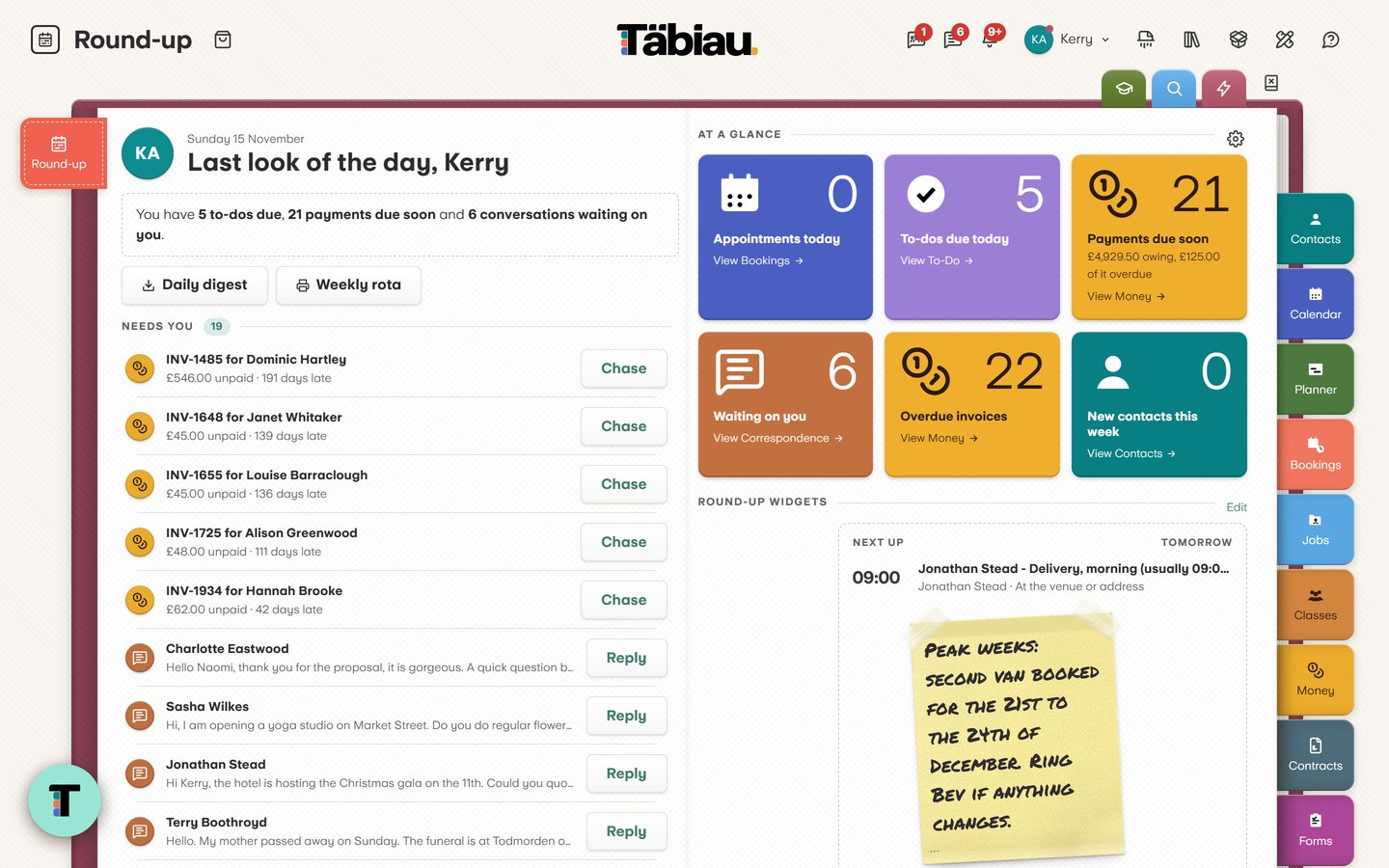
The first screen you see is the Round-up. It greets you, gives you today's date and shows six count blocks: the appointments you have today, the to-dos that are due, the payments that are due soon, the messages waiting for you, the overdue invoices and the new contacts this week.
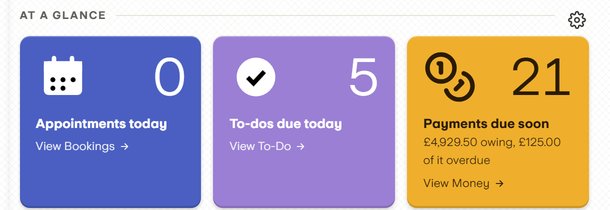
That is your whole day in about three seconds. You do not have to open five tabs to find out whether it is a quiet Sunday or a hard Thursday. When one of the numbers worries you, press it and you are straight there. If you like paper, the Daily digest button beside your greeting gives you today's jobs as one printable sheet.
Stop carrying who owes you money
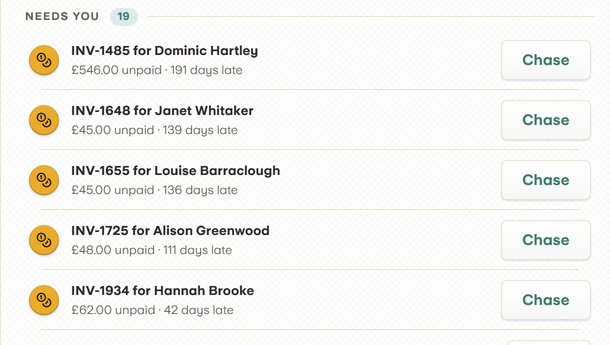
Chasing money is the job people dread most, and the one that most often gets put off. So Täbiau puts it where you cannot miss it. The Round-up has a list called Needs you. It shows what is waiting on you, with the most overdue first: late invoices, clients waiting for a reply, bookings to confirm, stock running low.
Press Chase and you are on that invoice with a reminder one press away. You do not have to dig for it, find the client's email address or remember what you said last time. If you have several that are late, Chase overdue in Money writes to all of them in one go, and tells you how many it will write to before it does.
Täbiau will also tell you if the reminder emails are switched off, so you are not left believing somebody is chasing when nobody is. More on that below.
Get the daily routine out of your head
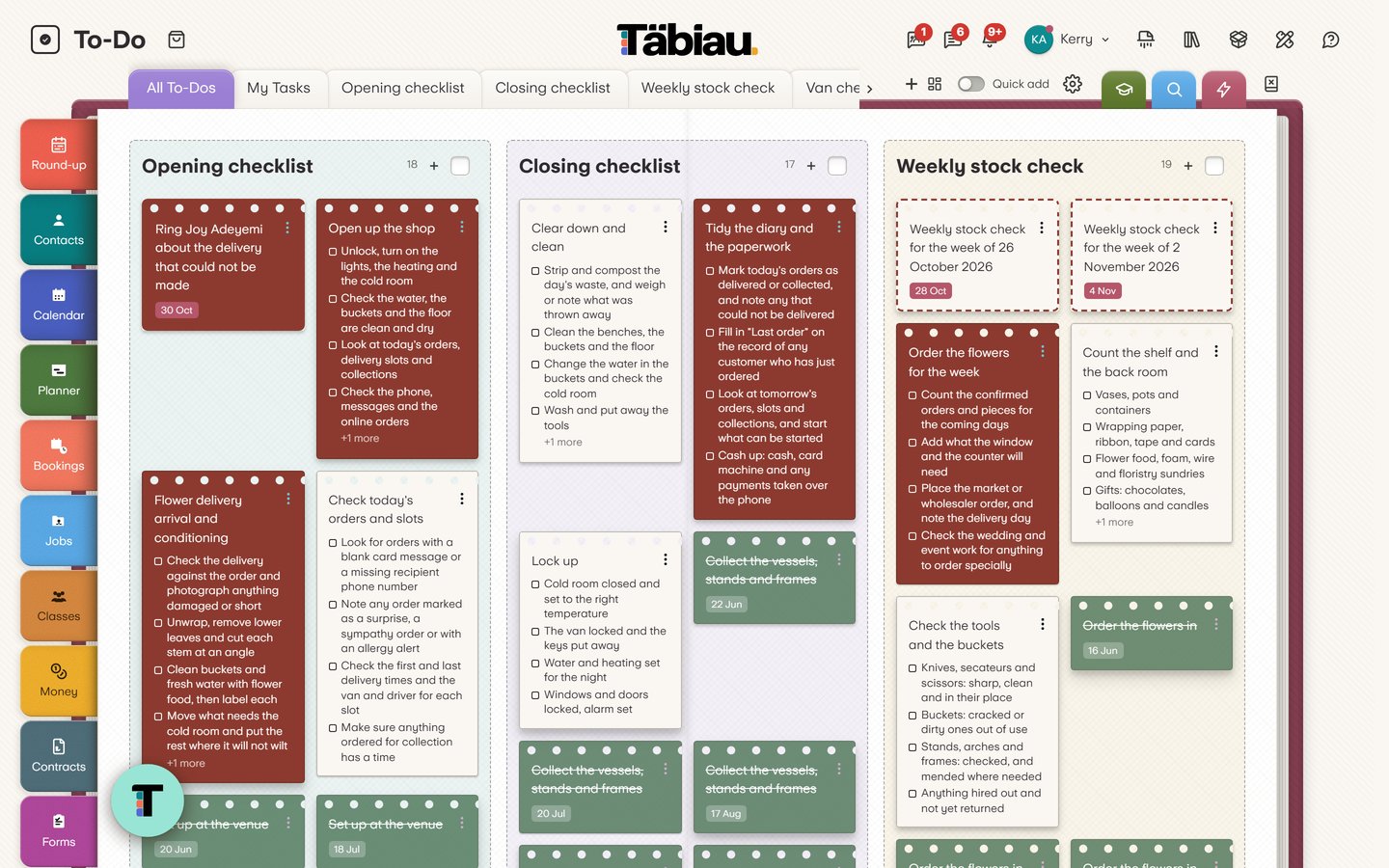
A lot of what wears you down is not the big jobs. It is the same small jobs, every day, done from memory. Opening up. Closing down. The weekly stock check. Ordering for the week.
The To-Do tab holds these as boards of cards with steps you can tick off. This florist keeps an opening checklist, a closing checklist and a weekly stock check. Anything that comes round again can be set to repeat, every so many days, weeks or months, so you set it up once and never have to remember it. And when a thought pops into your head halfway through a conversation, you can add it as a to-do straight from the Round-up in a few seconds, then get on with the conversation.
Let the app do the repeating parts
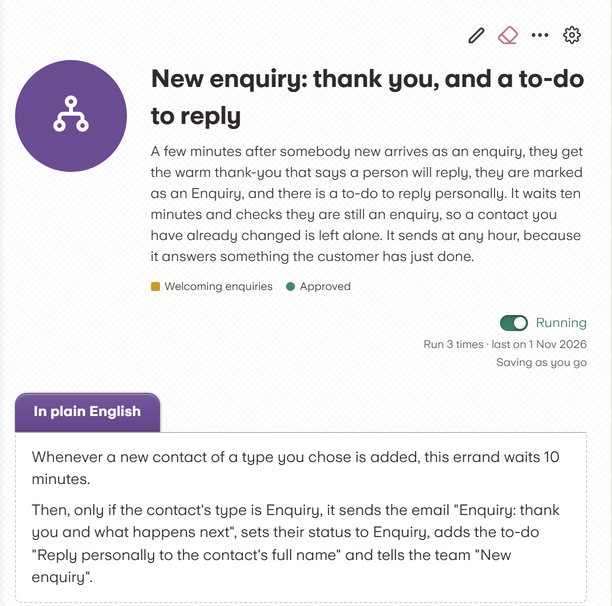
Some jobs are not routine so much as reflex. Somebody new gets in touch and you thank them. A booking is made and you confirm it. A job is finished and you ask how it went. You know you should. You do it when you are not busy, which is not often enough.
In Täbiau these are called errands. An errand is a small thing the app does for you when something happens. The one in the picture says: when a new enquiry arrives, wait ten minutes, send a warm thank-you that says a person will reply, mark them as an enquiry, add a to-do for you to reply personally and tell the team. A section called In plain English spells out what it does in sentences, so you are never guessing.
You choose which errands run. You can rehearse one to see what it would do before it does anything, and you can switch any of them off. A quiet week is easier when it does not all depend on your memory.
See the week, not just the day
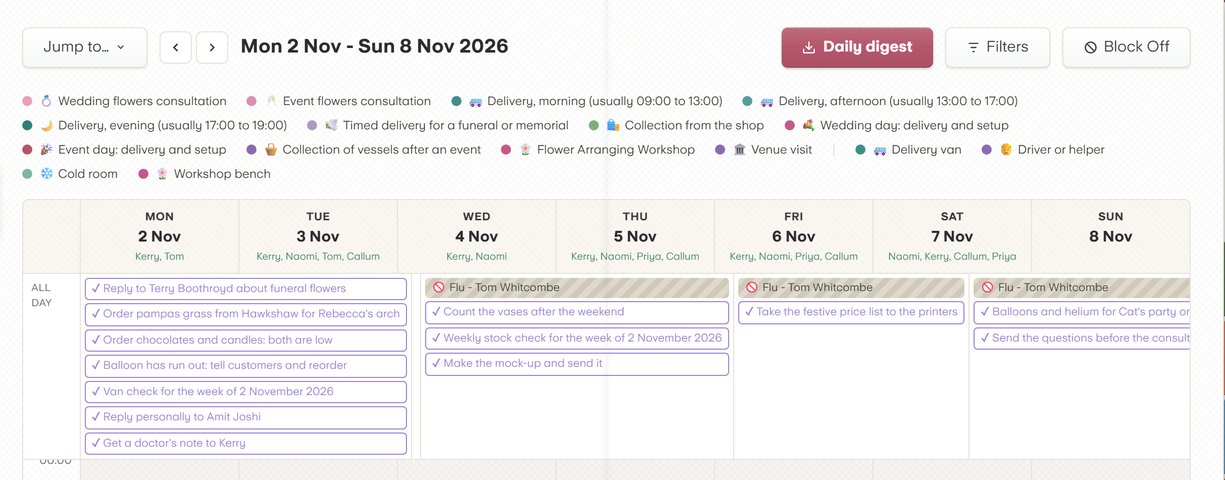
When you are overwhelmed, the real fear is the thing you cannot see. The week view puts your bookings, your dated to-dos, your team's time off and who is working on one page, so you can spot the crowded Wednesday before it arrives. The Daily digest and Weekly rota buttons print the day or the week for anyone who prefers it on paper.
If you tend to say yes to too much, Daily Limit (on the plans that include it) lets you decide how much one day can hold. Täbiau warns you before you go over it, and you can still go over it when you decide to, adding a note of why if you like.
Find anything in a few letters
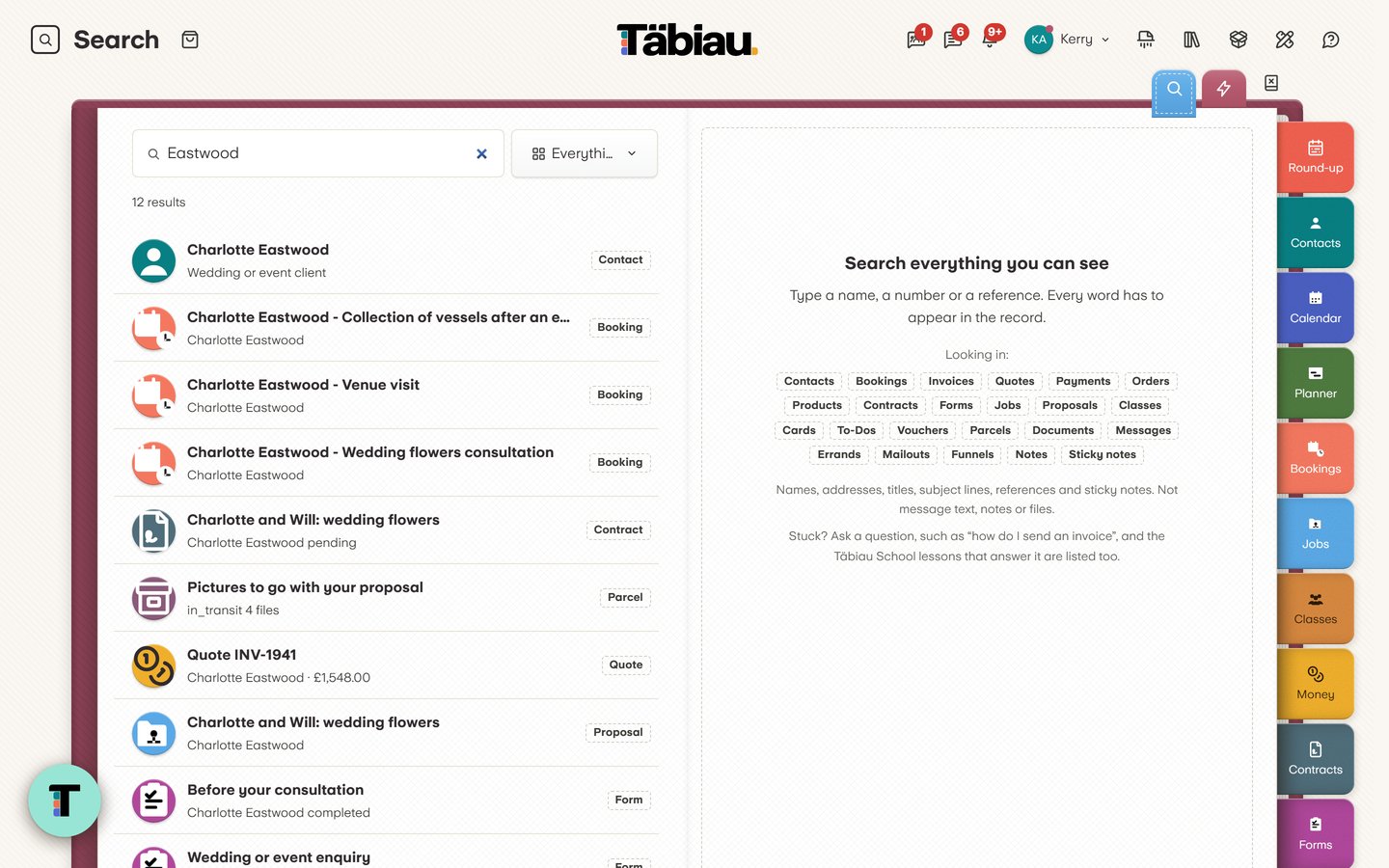
Part of being overwhelmed is looking for things. Was it in an email? On an invoice? Which tab? Search finds a name, a number or a reference across your contacts, bookings, invoices, quotes, contracts, forms, to-dos and more, and labels each result so you can tell them apart. Type half a name and you are there.
Start anything in one press
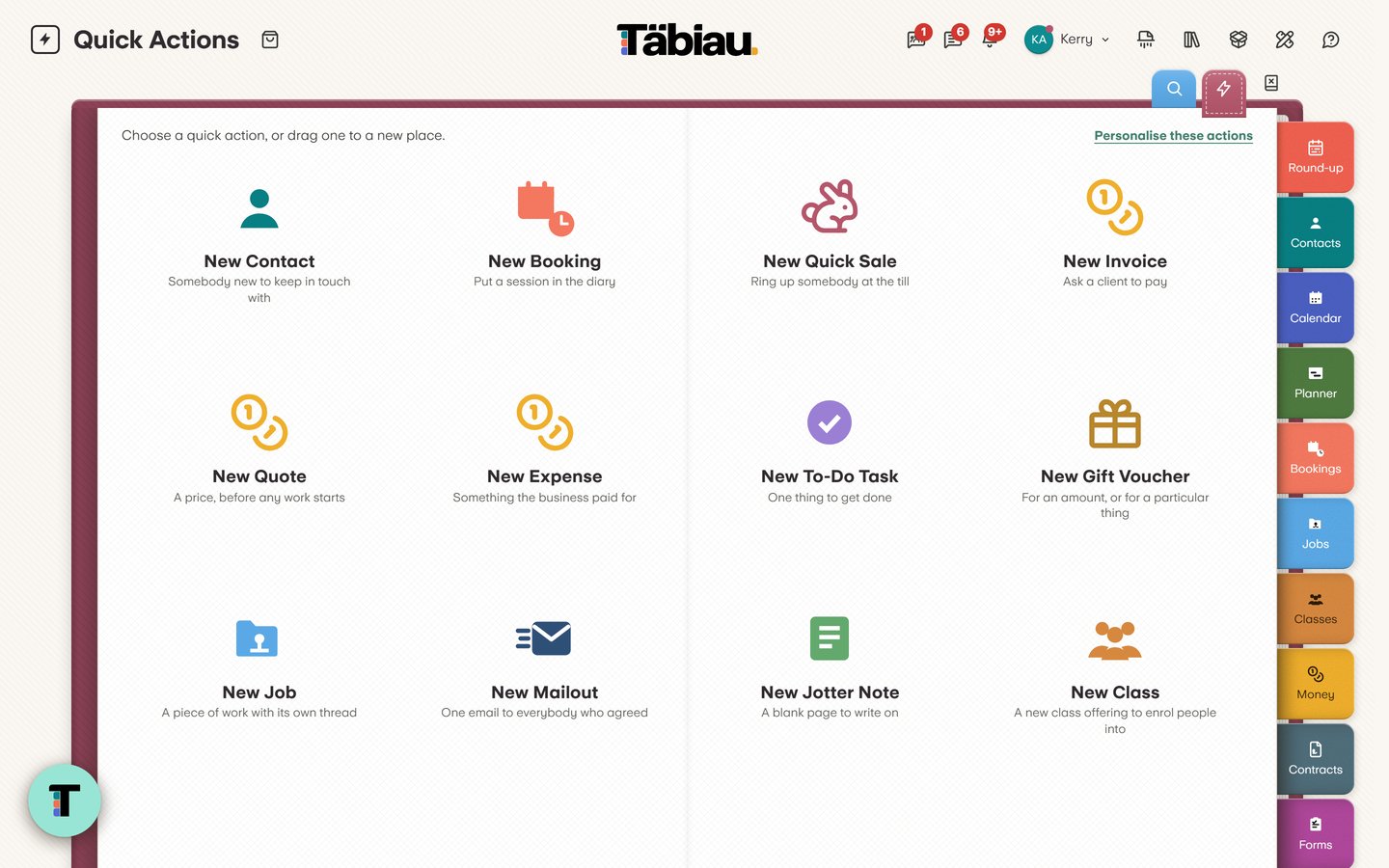
When something comes into your head, you want to get it down before it goes. Quick Actions is a screen of big, plain buttons: New Contact, New Booking, New Invoice, New Quote, New To-Do Task and the rest. Press one and you land on the right form, already open. They stay where you put them, so after a week you stop looking and just go.
Not sure what to set up next? It will tell you
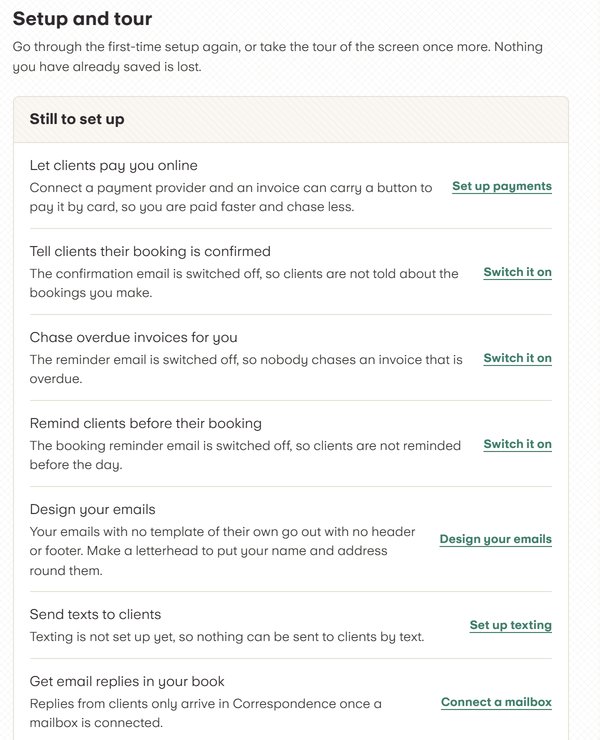
Starting with a new system can be its own kind of overwhelm. So Täbiau keeps a list of what is still to set up, and says why each one matters. "Chase overdue invoices for you: the reminder email is switched off, so nobody chases an invoice that is overdue." Each line has a link that takes you straight to the right setting, and when you finish one it leaves the list.
Alongside it, Tabi AI, the assistant, answers questions in plain words. The green graduation cap opens a short lesson about the screen you are on. And the Round-up offers one suggestion at a time, with a Not yet button, so you never face a wall of things to do.
And be kind to yourself
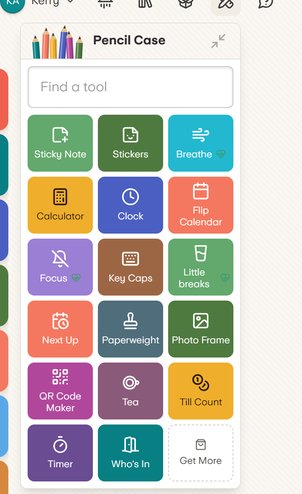
Some of the help is not about the work at all. The Pencil Case in the top bar holds small tools for your desk, and three of them are for you. Breathe is a one-minute breathing circle. Focus holds back your alerts for up to eight hours while you finish something. Little breaks gives you a gentle nudge to stand up, drink some water or rest your eyes during your working hours. None of them keeps a score or a streak.
When you need a proper break, Holiday mode lets an owner or admin say when they will be back, can pause online booking, and tells the rest of the team that it is on. If you want a lift, My kind words is a private shelf for the nice things people have said, once you switch it on. And on Mondays and Tuesdays Täbiau can show you a kind look back at your week just gone, with no targets and no comparisons.
You do not have to do it all at once
If you take one thing from this, make it small. You do not need to set everything up this week. Pick one of these and see how it feels.
If you only do three things
- Open the Round-up first thing tomorrow and read the count blocks.
- Press Chase on the oldest late invoice.
- Turn one job you do from memory into a repeating to-do.
You are not behind because you are bad at this. There is simply a lot of it, and you have been carrying it alone. Täbiau is there to carry some of it for you.
Frequently asked questions
Why do I feel so overwhelmed running a small business?
Usually because the work is made of many small jobs that you are holding in your head: the invoice to send, the client to ring back, the delivery to check. Each one is easy. Carrying forty of them at once is what wears you down. The way out is to put them somewhere that remembers them for you, and to let software do the parts that repeat.
How do I stop forgetting to chase late invoices?
In Täbiau your Round-up has a list called Needs you, which shows late invoices with the most overdue first and a Chase button beside each. Chase overdue in Money writes to all the late ones at once, after telling you how many it will write to and asking you to confirm.
Can Täbiau send thank-yous and reminders for me?
Yes. In Täbiau these are called errands: small things the app does for you when something happens, such as thanking a new enquiry or reminding a client before a booking. You choose which errands run, you can rehearse one to see what it would do before it does anything, and you can switch any of them off.
I am not technical. Will I cope with setting it up?
Täbiau starts with a short setup of about five minutes, then keeps a list of what is still to set up and says why each thing matters, with a link straight to the right setting. There are short lessons in Täbiau School for every screen, and an assistant called Tabi AI who answers questions in plain words.
Does Täbiau have anything to help me look after myself?
It has three small tools for your own desk: Breathe, a one-minute breathing circle; Focus, which holds back your alerts for up to eight hours; and Little breaks, a gentle nudge to stand up, drink some water or rest your eyes. There is also Holiday mode, which lets an owner or admin say when they will be back and tells the rest of the team. None of it keeps a score or a streak.